The problem
Fragmented Knowledge Discovery in Scholarly Research: Bridging the Gap Between Raw Search Results and Contextual Understanding
Library users, especially students and early-career researchers, need quick, reliable context to evaluate search results before deciding what to read. In WorldCat Discovery and WorldCat.org, search results are primarily presented as a traditional list and often lack the context users need to quickly determine relevance and credibility, such as who an author is, why they are significant, what topics they are associated with, and how their works connect to broader subjects.
Without this information built into the search experience, users often have to leave the platform to verify an author’s identity, learn about their background, or understand the relationships between people, places, and concepts. This creates a fragmented research process and is especially challenging for students and other less-experienced researchers, who may have difficulty identifying foundational sources or discovering valuable connections between related works.
The lack of integrated context also makes large result sets feel overwhelming and limits opportunities for exploration and discovery. As a result, the search experience falls short of modern discovery tools that provide richer context and help users navigate information more effectively.
Opportunity: Introduce an in-product linked data knowledge card system that surfaces authoritative biographical information, curated visuals, and connections between related people, places, concepts, and works directly within search results. This would help users evaluate sources more quickly, better understand why results are relevant, and explore related topics without leaving the discovery experience.
The solution
Phase 1 — Inline Author Context via Hover Knowledge Cards (Linked Data)
Phase 1 adds a lightweight knowledge card that appears when a user hovers over an author name in search results, only when that author is linked to a verified linked data entity.
The card provides quick, authoritative context so users can judge credibility and relevance without leaving WorldCat to look up the author elsewhere. This reduces fragmented research and supports faster decision-making while scanning results.
5 million
Impressions on the hover cards in the first year after launch
Phase 2 — Expanded Author Hover Knowledge Card
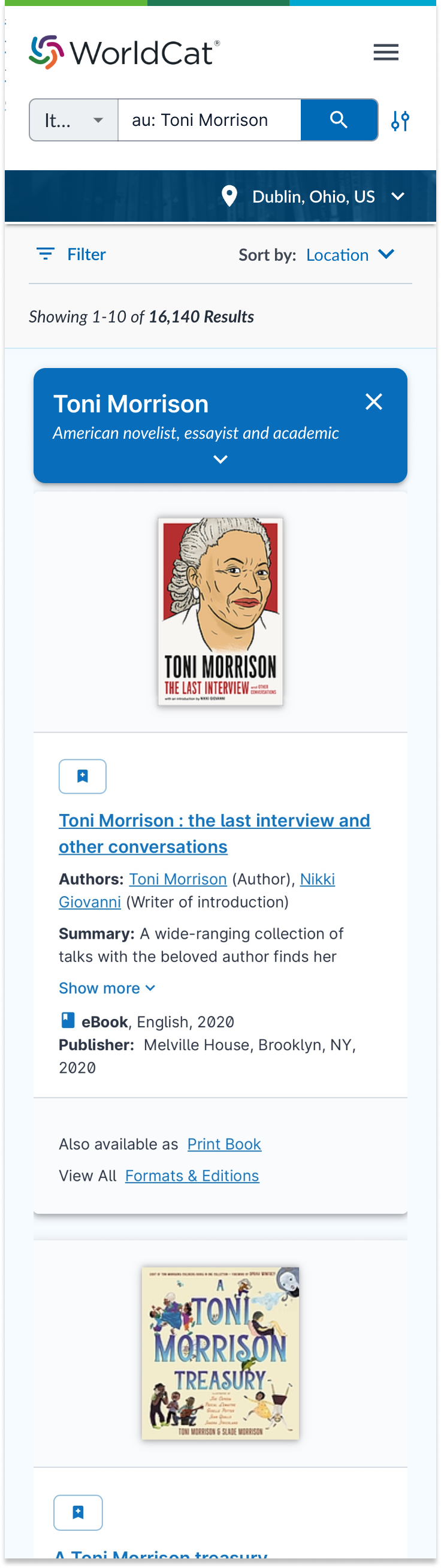
Phase 2 builds on the inline hover knowledge card by adding richer, at-a-glance context directly in search results. The card includes a short author description generated using OCLC-owned software, the author’s birth and death dates, and an image sourced from Wikidata.
This added detail helps users confirm identity and significance faster, reducing the need to leave WorldCat to look up basic author information elsewhere.
Phase 3— Side Panel Knowledge Card for Deeper Author Discovery
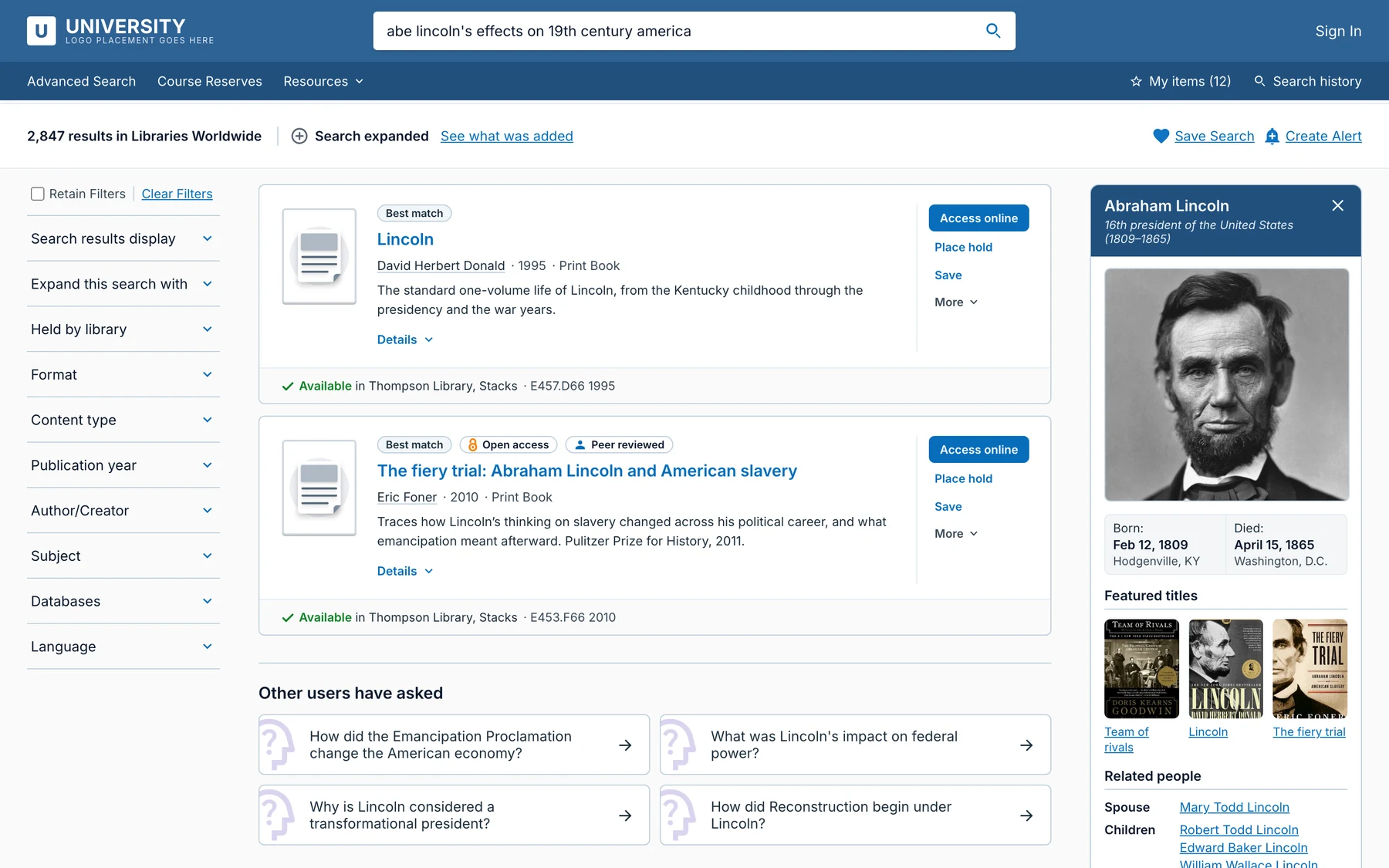
Phase 3 expands beyond the inline hover card by introducing a dedicated side panel knowledge card. This panel provides more detail without pulling users away from search results, supporting both quick evaluation and deeper exploration within WorldCat.
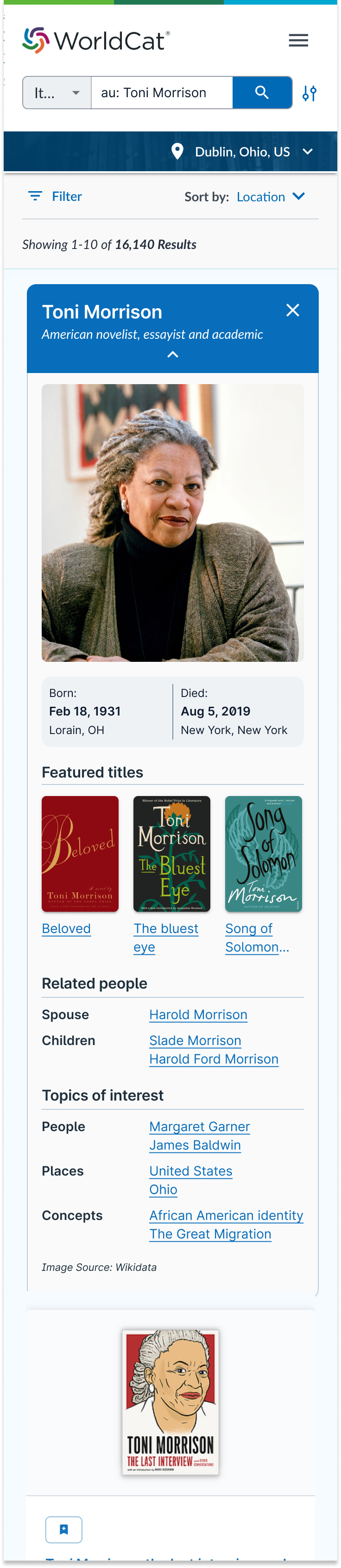
To strengthen author identification and enable discovery, the side panel adds birth and death locations, featured works, related people, and topics of interest. These connections help users move from a single result to broader, more contextual research paths inside the platform.
Responsive behavior was designed alongside the feature. The side panel includes tablet and mobile resizing patterns so the experience remains usable across devices, with the layout adapting to smaller screens while keeping key identity and discovery content easy to scan.
Desktop
Mobile
Phase 4— Author Disambiguation Carousel in Search Results
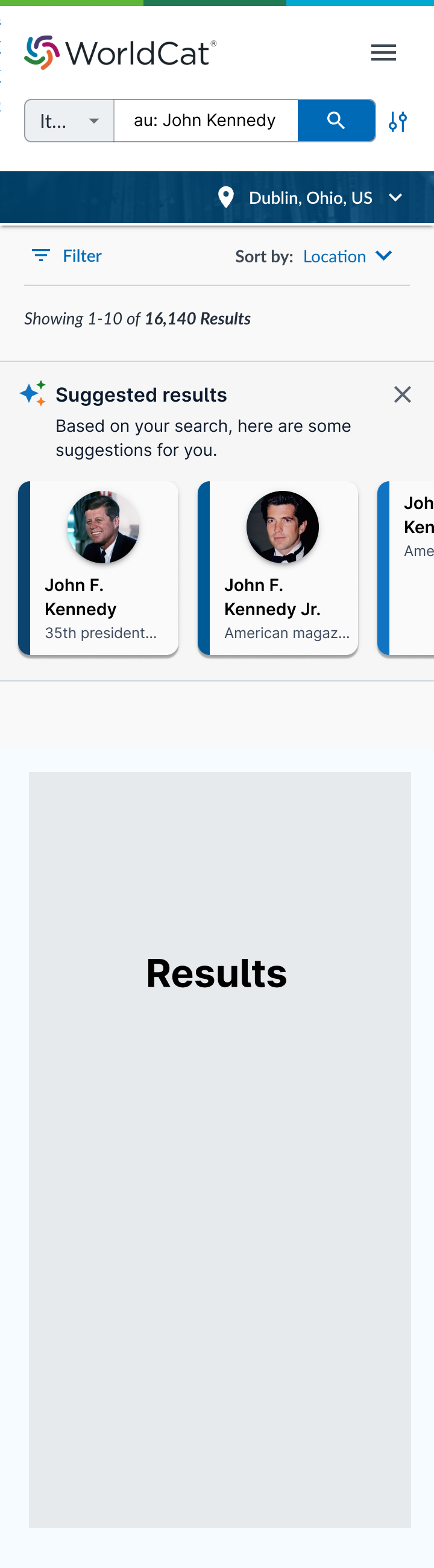
Phase 4 addresses cases where an author search can match multiple linked data URIs by adding a disambiguation carousel directly on the search results page. The carousel suggests who the user may be referring to, reducing confusion and helping users reach the right author context faster.
Up to six suggested authors are shown, ordered by confidence with the highest-confidence match first. Each suggestion includes a visual confidence indicator, using a darker blue for higher confidence and lighter shades for lower-ranked matches.
Each suggestion card can expand to reveal additional available details, allowing users to open and collapse cards based on how much context they need.
If the suggestions are not helpful, the carousel can be dismissed. When closed, the page reflows so filters and search results shift up to reclaim the space.
Desktop
Mobile